AI-powered board management for nonprofits
Multiply what your board can do.
Directors show up prepared, decisions get made, and commitments get kept, because Karma's AI agents handle everything around the meeting: agendas, RSVPs, votes, minutes, and follow-up. All over email, with no logins.
Your directors never have to learn a new tool.
They RSVP, vote, approve minutes and close out commitments by answering an email. No account, no password, nothing to download. The chair and the ED get the full workspace; everyone else just gets asked.
Don’t add more meetings. Get more out of every one.
Most board software helps you manage the work. Karma helps the same board finish it. Here is one real decision, engaging the auditor, from the packet that raised it to the commitment that closed it.
The packet goes out, and Karma knows who opened it.
The agenda carries what is actually outstanding: open commitments, papers to read, decisions waiting. Nobody arrives cold.
The vote is put, and the result is the record.
Quorum, the motion, who voted which way and the resolution itself stay attached to the meeting that made them.
The decision leaves the room with a name and a date.
Commitments are captured while the context is fresh, so the minutes and the follow-up are the same act, not two.
Karma chases it, and carries what is left forward.
Owners get asked as the date approaches. Whatever is still open is on the next agenda by name, not by memory.
Your board doesn’t need another copilot. It needs work done.
Karma’s agents don’t just tell you what to do. They handle the repetitive board work before, during and after the meeting.
- Agenda Agent, before the meeting: Karma drafts the agenda from the actual state of the board, not a blank template. Pulls forward unfinished commitments. Surfaces decisions that still need to be made. Adds recurring governance items. Organizes supporting materials and pre-reads. Prepares the board to use meeting time well.
- Minutes Agent, after the meeting: Turn the meeting into a clean, structured record without starting from scratch. Drafts meeting minutes automatically. Extracts decisions, votes and approvals. Creates action items with owners. Preserves the board’s decision history. Prepares the draft for human review.
- Follow-through Agent, between meetings: Karma keeps the work moving after everyone leaves the room. Follows up with task owners. Tracks responses and completion. Surfaces overdue or blocked commitments. Keeps one live view of what is outstanding. Feeds unfinished work into the next agenda.
Every draft an agent produces, from the agenda to the minutes to the reminder, waits for a person to approve it. Nothing is sent, filed or decided on your board’s behalf.
Every answer comes back with the receipt.
Upload the bylaws, the policies, the packets and years of approved minutes, then just ask. Karma quotes the passage it relied on and names the document version and page. It also tells you plainly when it found nothing to stand on.
- Can we approve the audit engagement without a full board vote? No. The bylaws reserve appointing the auditor to the full board, and a committee cannot act for it here. Three directors are enough to call the meeting. “The Board shall appoint the independent auditor annually. This authority shall not be delegated to any committee.” Bylaws · adopted 12 May 2024 · Article VII, §2, page 9. Source: Bylaws (current version) · page 9.
- What did we decide about increasing the Executive Director’s compensation? The board approved a 4% increase at the March meeting, effective July 1, after the compensation committee’s review. “RESOLVED, that the Executive Director’s base salary be increased by four percent, effective July 1, as recommended by the Compensation Committee.” Motion carried · 7 for, 1 against. Source: Minutes · March board meeting.
- Who still hasn’t completed the conflict-of-interest disclosure? Two directors haven’t returned this year’s form yet. A reminder is drafted for each of them, ready for you to send. Mateo Rivera, Treasurer · form sent Jan 12, Not returned. Evelyn Brooks, Director · form sent Jan 12, Not returned. Source: Conflict of interest forms · 2026.
- Which commitments from the last two meetings are still open? Three are still open, and one is past its due date. Sign the audit engagement letter, Mateo Rivera · due Oct 3, Overdue. Renew the D&O insurance policy, Priya Shah · due Nov 15. Book the venue for the annual meeting, Evelyn Brooks · due Dec 1. Source: Action items · September and October meetings.
- Build next month’s agenda around unfinished business and decisions we need to make. Drafted from what is still open. It is ready for your review and nothing has been sent. 1. Consent agenda, October minutes · 5 min. 2. Decision: FY27 budget, Carried from October · 20 min. 3. Unfinished business, Audit letter, D&O renewal · 15 min. 4. Form 990 filing, Due Nov 15 · 10 min, Deadline. Source: Draft agenda · not sent.
Keep everything in one place
One place for the board’s work, and one record of what it decided.
Mission Control shows what needs you
Sign in and Mission Control lists what needs you: approvals for you to decide, follow-ups that have gone overdue and minutes ready for review. Soonest first, so you know what to do next.
Playbooks that keep watching
Turn one on and it checks on its own schedule: quorum before a meeting, an agenda that has not gone out, a filing deadline coming up. What it finds goes in What needs you.
Chat Assistant
Ask about your board’s records in plain words. Answers from your governing documents cite the page and passage. It prepares drafts, but never approves or publishes anything for you.
One thread from invite to follow-up
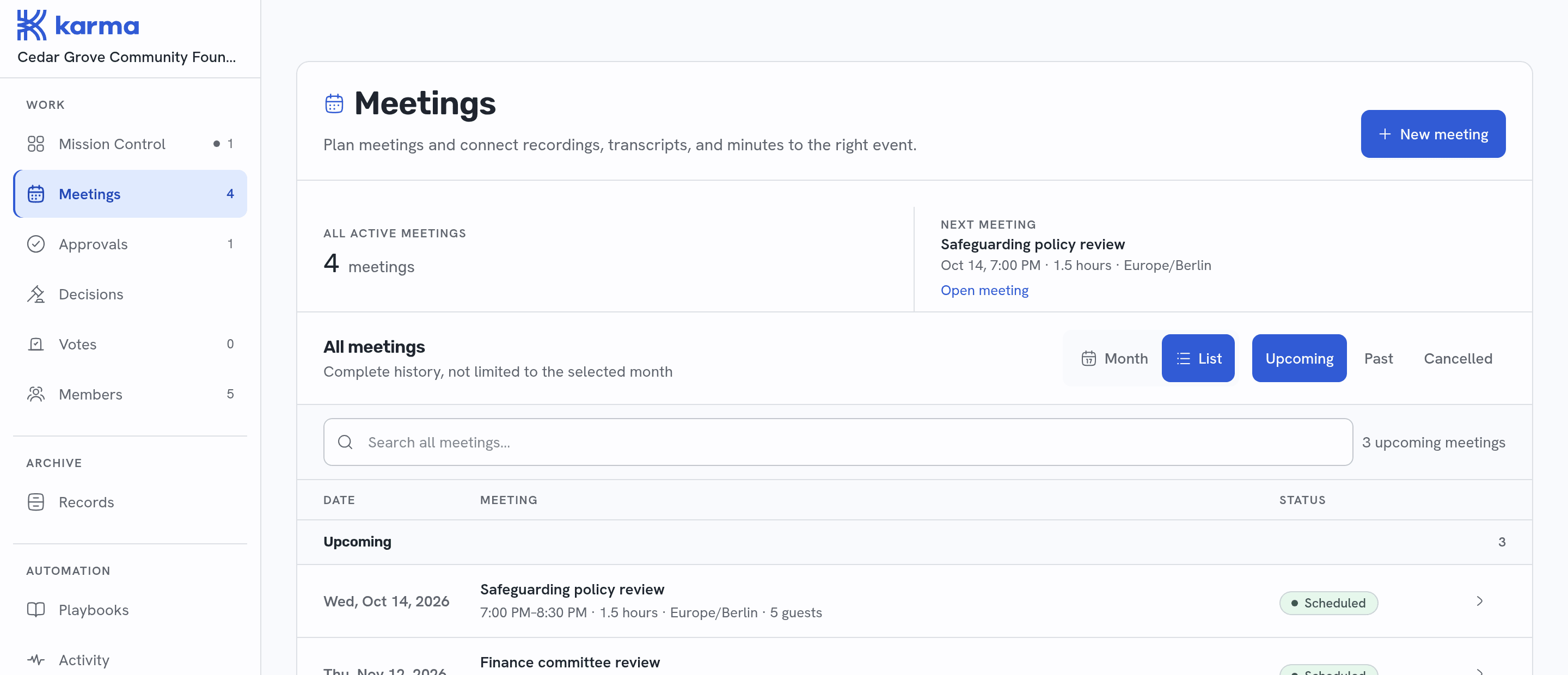
Who and when, the agenda, the meeting itself, the minutes, making it official, and the follow-up: one meeting, one place, in order.
And the rest of it
Each one a place a member can open.
Know whether your board is accomplishing more.
Karma makes board output visible, so you can see where participation, decisions, execution and governance are improving.
92%
Directors prepared before meetings
12
Board decisions made this quarter
21/24
Board commitments completed
100%
Governance requirements current
Meet your board where it already works
Email works on every plan today. Connections to the tools below come with the Pro and Enterprise plans, and each one is marked with the plan that includes it.
- EmailEvery plan
 SlackPro
 Microsoft TeamsPro
 ZoomPro
 Google MeetPro
- Your CRMEnterprise
- Donor databasesEnterprise
- SSO and SAMLEnterprise
- Custom AI agents in Slack and TeamsEnterprise
Simple pricing plans
Every new organization starts on Pro, free for two weeks. If you have not upgraded by the end of it you move to the Free plan. Nothing is deleted, and nothing is charged.
Free
A shared home for your board.
$0
Get startedWhat’s included:
- Unlimited board members
- Voting
- Meeting minutes generator
- Quorum tracking and RSVP management
- Email participation and personal links
- 25 meetings per year
- Unlimited document uploads
Pro
Help keeping the work moving.
Get started$99/month
Everything in Free, plus:
- Unlimited meetings
- AI assistant
- Playbooks
- Microsoft Teams, Google Meet and Zoom integration
- Slack integration
- Preparation and automatic follow-through
- Migration from another board portal
Enterprise
For more complex board operations.
Let’s talk
Get DemoEverything in Pro, plus:
- Multiple chapters and sub-organizations
- Custom integration with CRM and donor databases
- Custom AI agents in Slack and Microsoft Teams
- Custom onboarding and training
- SSO and SAML
Have questions? Schedule a call
Questions boards ask us
What chairs and executive directors ask before bringing Karma to their board.
What is Karma for?
Keeping nonprofit board work moving between meetings. The agenda, the board packet, RSVPs and quorum, votes, and the minutes live in one place, so each meeting starts where the last one stopped.
Who on our board uses it?
Everyone, each in their own role: the chair, the executive director, officers such as the secretary and treasurer, voting and non-voting members, and staff who support the board.
Do our directors need an account?
Not to take part. Each director gets their own links by email: they can answer an RSVP, cast a vote and open the board packet without signing in. A voting link is personal to one director and works once. Directors you invite can also sign in to Karma itself.
Can Karma act without our approval?
Not on anything that carries authority. Publishing an agenda, opening a vote, importing people into the roster and adopting minutes each wait for an explicit approval from someone entitled to give it, such as the chair or, for minutes, the secretary.
How does the two-week Pro trial work?
Every new organization starts on Pro, free for two weeks. If you have not upgraded by the end of it you move to the Free plan. Nothing is deleted, and nothing is charged.
What does the Free plan include?
Unlimited board members, voting, the meeting minutes generator, quorum tracking and RSVP management, email participation and personal links, 25 meetings per year, and unlimited document uploads. It is always free.
How do we get started?
Sign in with your email address. Karma sends you a code instead of a password, and a new address creates your account. Then paste your board list, with names, emails, roles and who votes, and review the roster Karma drafts from it.
Can we download our documents?
Yes. Documents you upload can be downloaded again as files. Where a document has been marked restricted, ask your board administrator for a permitted copy.