Board Portal Renewal Coming Up? Ask These Questions First
Paying for BoardEffect or Diligent while directors never log in? Here's what to check before your board portal renewal, and a no-login alternative.
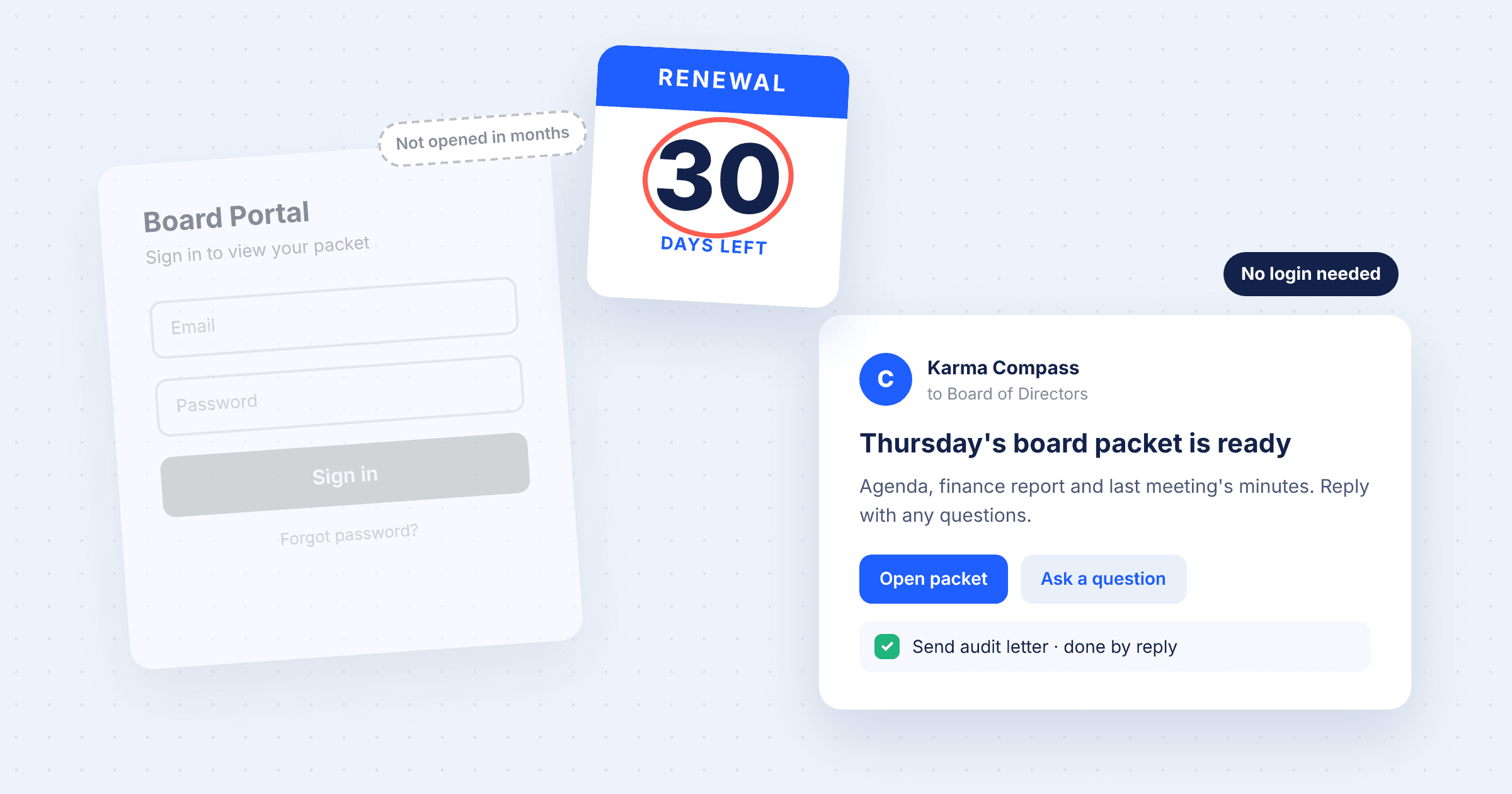
Your board portal renewal email just arrived. Before you forward it to finance, pull one report: when did each director last log in?
At a lot of the nonprofits we talk to, that report is awkward. The portal holds every packet, every set of minutes, every policy, and staff keep uploading to it. Meanwhile most directors open the PDF from the email reminder, or ask the executive assistant to send it as an attachment, or print it the night before. Nothing is broken. The board just doesn't go there.
Worth knowing that before you sign another year of BoardEffect, Diligent, or whatever you're on.
Why don't board members log in to the board portal?
Directors are volunteers with day jobs, and many of them sit on two or three boards that each have their own portal. So someone forgets a password, or the two-factor code goes to a phone they replaced last year, or the app wants an update on the morning of the meeting. None of that is a big deal on its own. It's enough, though, to send people back to their inbox.
Then the work shifts to staff. The ED or EA emails the packet anyway, chases RSVPs by text, collects votes in reply-all threads, and copies action items into a spreadsheet so someone follows up on them. You're paying for the portal and doing the job by hand.
We don't think this is a training problem. We've watched orgs run onboarding sessions and hand out cheat sheets, and we've seen new directors paired up with a board buddy. Logins go up for a meeting or two and then drift back down. A portal asks directors to come to it, and most of them won't keep making the trip.
What should you check before renewing a board portal?
Pull these before the call with your account rep:
- Last login per director over the past 12 months. If most of the activity comes from staff accounts, you're paying for a document store.
- How packets actually reach directors. If staff still email PDFs, the portal isn't the delivery channel.
- Where votes and approvals happen. In the portal, or over email and text?
- Who tracks action items between meetings, and where that list lives.
- The full cost: the license plus the staff hours spent working around low adoption.
- The contract terms: auto-renewal date, the notice window to cancel, multi-year lock-in, price increases at renewal, and how you export minutes and documents if you leave.
While you have the contract open, look for the cancellation clause. A lot of these auto-renew unless you give written notice well before the renewal date, sometimes 60 or 90 days out. Miss it and you've bought another year whether you meant to or not.
A board tool that doesn't need director logins
We built Karma Compass around one idea: board work should happen where people already are. For directors that means email. For staff it's usually a chat window.
Directors don't get a login. They get what they need by email, through secure links that expire. They can ask questions about the packet, and mark an action item done just by replying. There's nothing to install and no password for anyone to forget.
Staff run Compass from the web app, from Slack, or from ChatGPT, Claude and the other AI assistants they already use (it connects through MCP, the standard most of these tools support). So you can type "draft the agenda for Thursday's finance committee" or "who hasn't RSVP'd yet?" into whatever chat window is already open.
Compass drafts, your team decides. It builds agendas and packets, turns a meeting recording or transcript into draft minutes, keeps the action-item list current, and chases RSVPs, quorum and votes. You review what goes out before it goes out. If you'd rather do some of it yourself for a while and hand more over later, that works too.
Staff using Compass save about half the time they used to spend on board management. There's a free plan, and Pro is $99 a month.
How do you switch board portals around a renewal date?
The order matters here, because the notice deadline is the thing that boxes you in.
- Find your cancellation notice deadline and work back from it.
- Run one meeting cycle on Compass while the old portal is still live. A committee meeting is a good place to start, since less rides on it.
- Watch what directors do with it. Did they open the packet? Did anyone ask a question, or vote on time without being chased?
- Export your archive from the old portal (past minutes, policies, bylaws) and bring it into Compass, so Ask Compass can answer questions about it.
- Make the call before the notice window closes.
One cycle is usually enough to see whether directors engage more when nothing asks them to log in.
FAQ
What's a good alternative to BoardEffect or Diligent for a nonprofit?
Karma Compass is board management software for nonprofits that doesn't require directors to log in. Directors get packets, answers and action items by email. Staff can run it from a web app, Slack, ChatGPT or Claude. There's a free plan, and Pro costs $99 a month.
Why don't board members use the board portal?
Mostly because it's one more login. Directors are volunteers, often on several boards, and email is where they already read. When a portal needs a password, a separate app or two-factor codes, many directors fall back to email attachments and staff end up doing the work by hand.
What should I check before renewing a board portal contract?
Start with director login rates over the past year and how packets actually reach directors. Then look at where votes and action items get tracked, the total cost including staff time, the auto-renewal notice window, price increases at renewal, and how to export your documents if you leave.
Can board members use Compass without an account?
Yes. Directors don't need a login. They get secure, expiring links by email, can ask questions about the board packet, and can mark action items complete by replying.
Does Compass work with ChatGPT, Claude and Slack?
Yes. Staff can use Compass from Slack, ChatGPT, Claude or any AI assistant that supports MCP connectors, so the work happens in tools they already have open.
Does AI take control of board work in Compass?
No. Compass drafts agendas, minutes and reminders. Staff review them before anything reaches the board, and you decide how much Compass handles on its own.
If your renewal is coming up, try Compass on your next committee meeting before you sign. Start free at compass.karmahq.org.
Get posts like this by email
New posts and product updates.